Open the conversation
Any chat on chatgpt.com. A ChatGPT to PDF export does not need you to scroll it, and does not need the whole thread to have loaded.
ChatGPT to PDF
Printing the page gives you what the page happens to be showing. A long thread is not fully on screen, so that PDF quietly stops somewhere in the middle. To take ChatGPT to PDF properly, MyChatExport asks ChatGPT for the conversation itself, lays it out, and hands it to your browser's own print dialog.
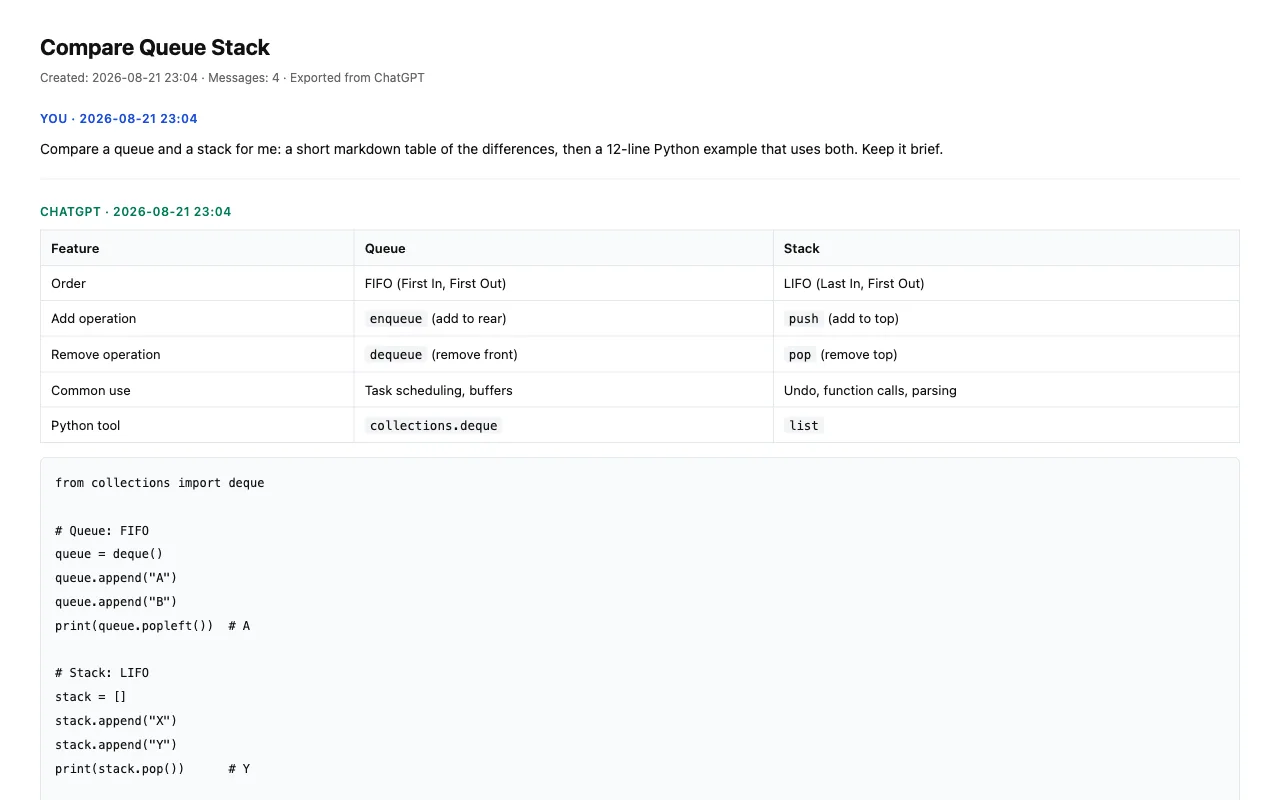
ChatGPT renders the part of the thread you are looking at and drops the rest as you scroll. That is good for the browser and bad for anyone taking a ChatGPT to PDF copy of the conversation: Ctrl+P captures what is currently rendered, not what was said. A ChatGPT to PDF export built that way is short before it starts.
MyChatExport does not read the page. Every ChatGPT to PDF export asks ChatGPT for that one conversation — the same request the page itself makes — and builds the document from the answer.
The ChatGPT to PDF layout is built from the conversation data rather than scraped off the screen, so structure survives instead of collapsing into one long run of text.
| In the chat | After ChatGPT to PDF |
|---|---|
| Code blocks | Kept as code, with line breaks and indentation intact |
| Tables | Rendered as tables, not flattened into text |
| Quoted passages | Kept as quotes, visually separated from the reply |
| Images in the thread | Embedded in the file, not linked to somewhere that can disappear |
| Who said what | Every message attributed, in the original order |
Nothing is added to your document. No banner, no watermark, no footer selling you something. Paid and free ChatGPT to PDF exports run the same code path, so there is no version of this file with an advertisement in it. However long the thread is, one ChatGPT to PDF pass covers it — code blocks stay code, tables stay tables, and quoted passages keep their formatting.
The ChatGPT to PDF step runs on your own browser's print engine, from data your browser already has. The conversation is never uploaded to us for rendering, because nothing on our side does any rendering.
That is a design constraint rather than a promise about our intentions — a ChatGPT to PDF export has no server-side path to take, so there is nothing to quietly change our minds about later.
What actually reaches our servers: Your account, your plan, and a count of how many ChatGPT to PDF exports you have run. Not the conversation, not its title, not the address of the page you were on. The privacy policy lists it field by field.
If a ChatGPT to PDF export goes wrong at any point, the extension says what went wrong in a sentence you can act on — an expired session, a rate limit, a blocked pop-up — instead of failing silently. That was the most common complaint about the tools in this category, so it is the part we built first.
Any chat on chatgpt.com. A ChatGPT to PDF export does not need you to scroll it, and does not need the whole thread to have loaded.
The ChatGPT to PDF button sits in the right margin. The extension fetches the conversation and lays it out.
Your browser's print dialog opens with the document already in it — that last click is what turns ChatGPT to PDF on your own machine. The suggested filename is the conversation's own title, so you are not renaming document.pdf afterwards.
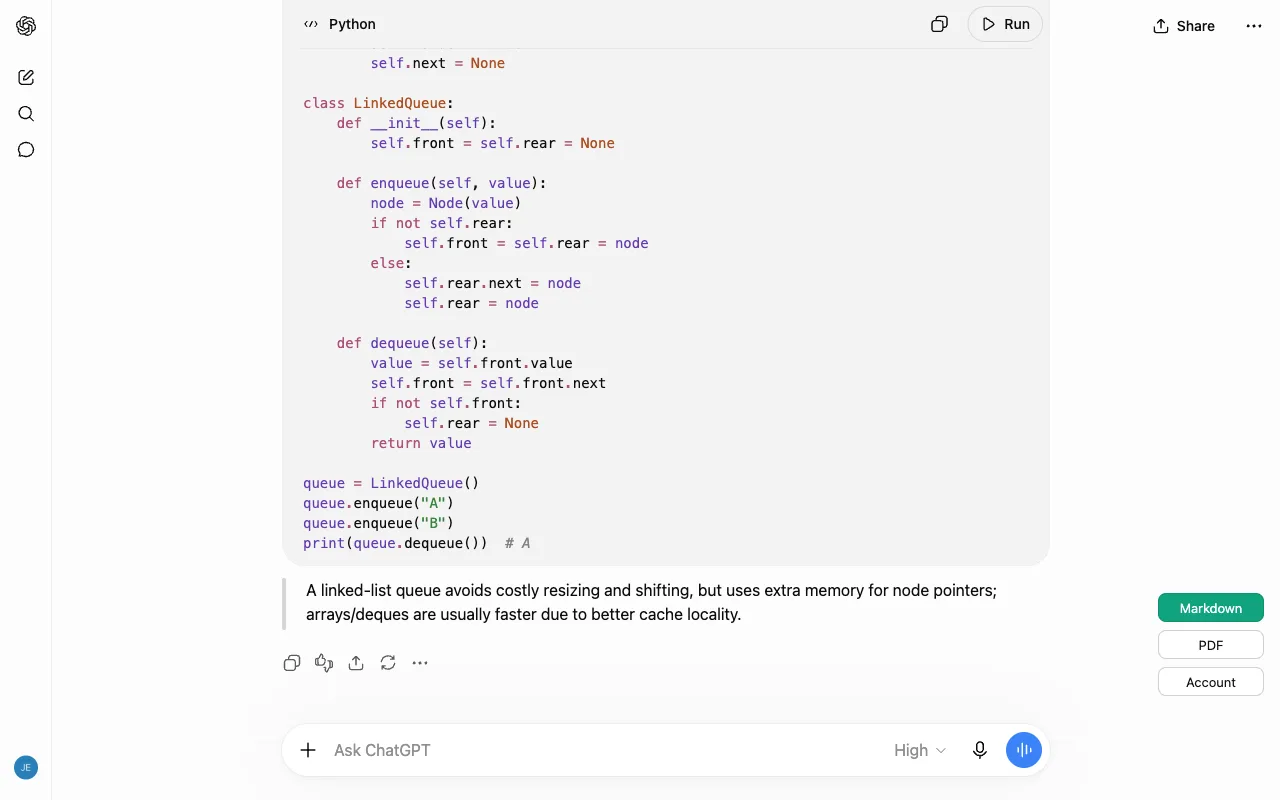
The same conversation can come out as Markdown instead, which is the better choice when the destination is a notes app or a repository rather than a printer — ChatGPT to PDF is for the cases where someone has to read it as a document.
Both formats are on every tier. Markdown and PDF are not split across plans, and a free ChatGPT to PDF export is not a smaller version of the paid one. What a subscription changes is how many exports you may run in a day — nothing about the file itself. See what each plan costs.
ChatGPT to PDF is part of the free tier, and the free file is the same file as the paid one — no watermark, no page limit, no format held back. A subscription changes only how many ChatGPT to PDF exports you may run in a day. See what each plan costs.
No. The ChatGPT to PDF layout is assembled in your browser and handed to your browser's own print dialog. There is no server-side rendering step, so there is nothing on our side for the content to pass through.
No — one ChatGPT to PDF export covers the conversation you have open. The extension never opens your chat list, which is also why it cannot walk through your history in bulk.
A Chrome extension has no way to produce a PDF silently, so the last step of ChatGPT to PDF is Chrome's own Save as PDF. The upside is that the file is a normal searchable PDF made by the browser you already trust.
Yes, ChatGPT to PDF embeds images in the file. The Markdown export is the exception: it marks where each image was instead of embedding it, because embedding would push a single note-sized file into the megabytes.
Length is not the limit on ChatGPT to PDF. The extension asks ChatGPT for the conversation itself rather than reading what is on screen, so a thread that scrolls for an hour comes out in one pass.